
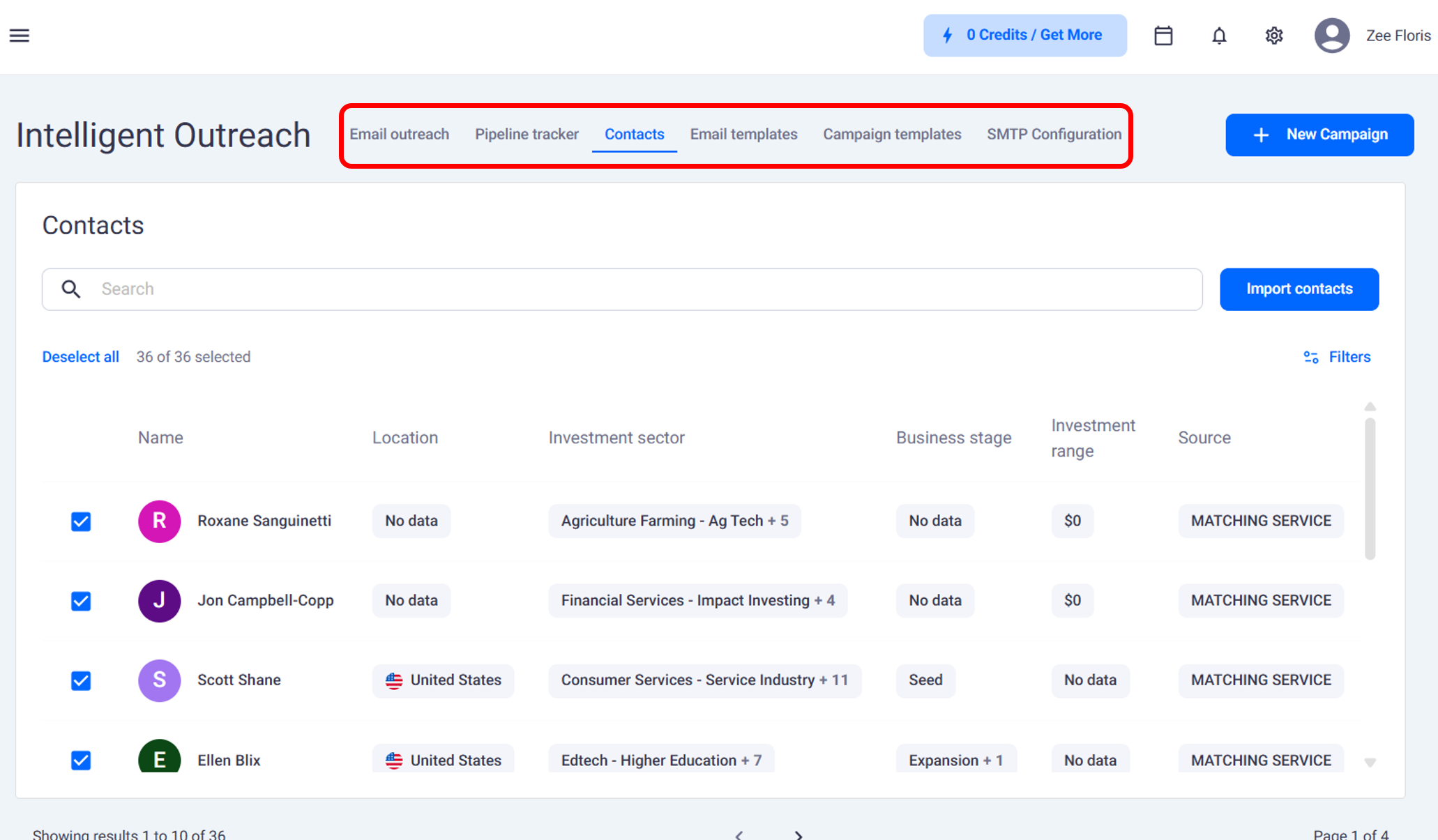
Inside Intelligent Outreach
Email Outreach with data on how campaigns are going
Pipeline Tracker where campaign data flows
Contacts with all matched investors you can reach out to
Templates where you can create new email templates oruse pre-built ones
SMTP Configuration to send emails from your own businessdomain instead of a FE Capital email
Creating a Campaign
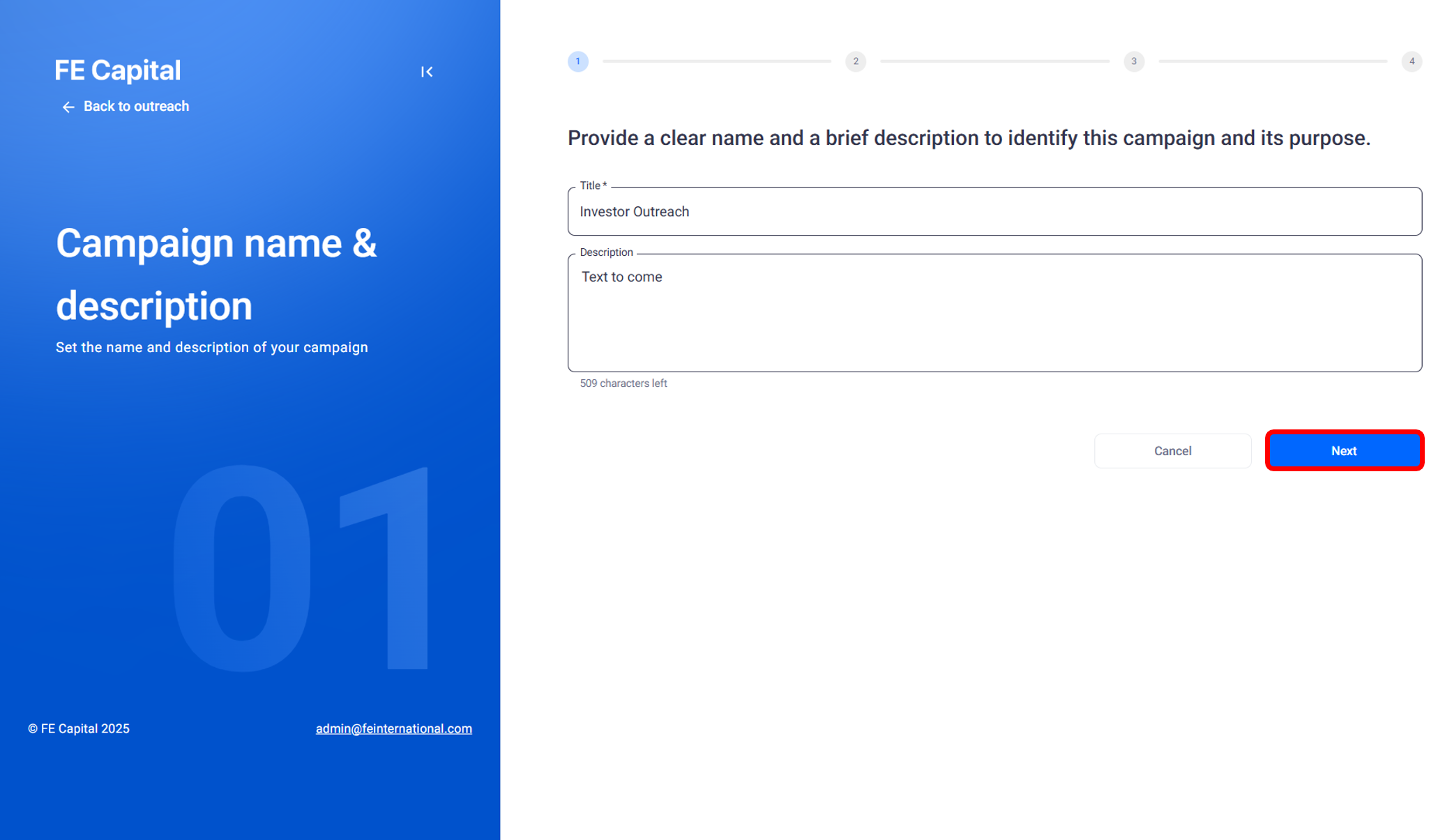
Name the campaign
Click Next and import the contacts you want to add
Select your SMTP configuration
Pick a sample cold outreach campaign with follow ups or createyour own
Add conditions if you want, for example:
- If email opens then send a meeting link
- If no email open then send a different follow upClick Finish and publish
Publishing and Tracking
When publishing a campaign you will see how many credits it willtake.Confirm and pay with credits. The campaign then goes live.
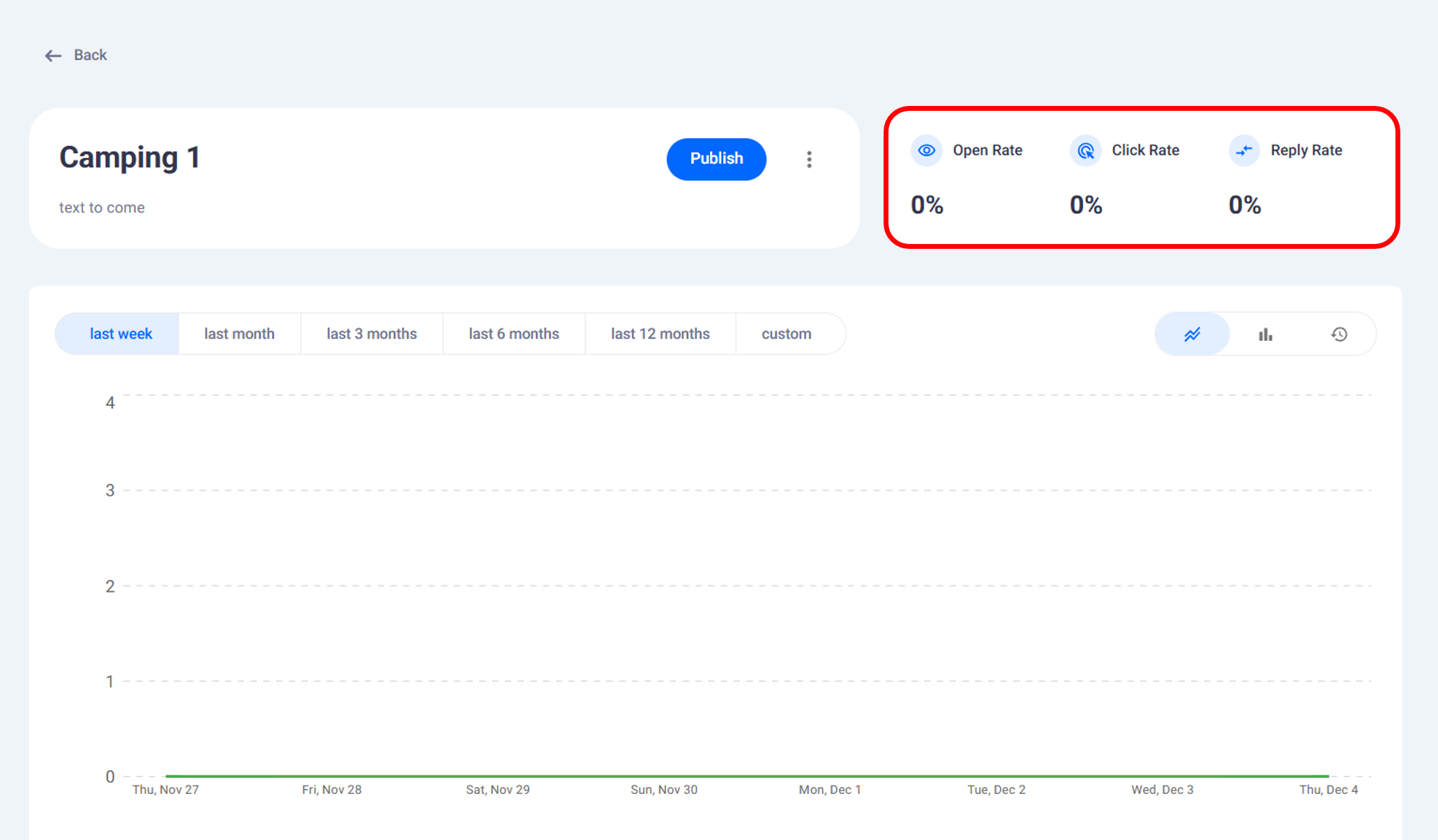
Active status
Open rate
Click rate
Reply rate
Audience in the campaign
The flow of the campaign
From here you can adjust, edit, or deactivate campaigns.
Scheduling Meetings
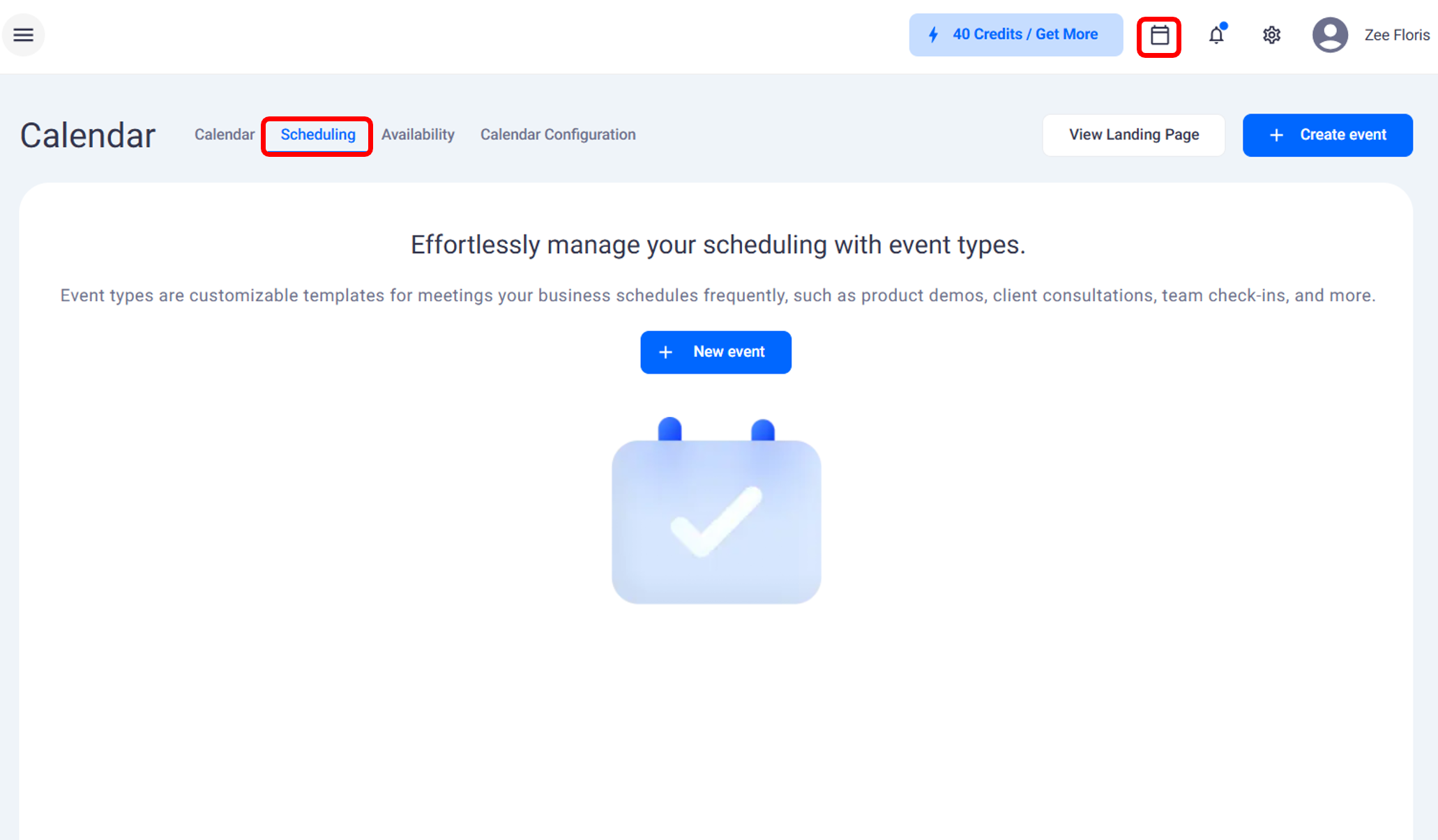
Click the Calendar button at the top
View upcoming meetings or create a new event
Add the event purpose, duration, and buffer time
Set reminders by email or text message
Copy the meeting link to include in your outreach emails
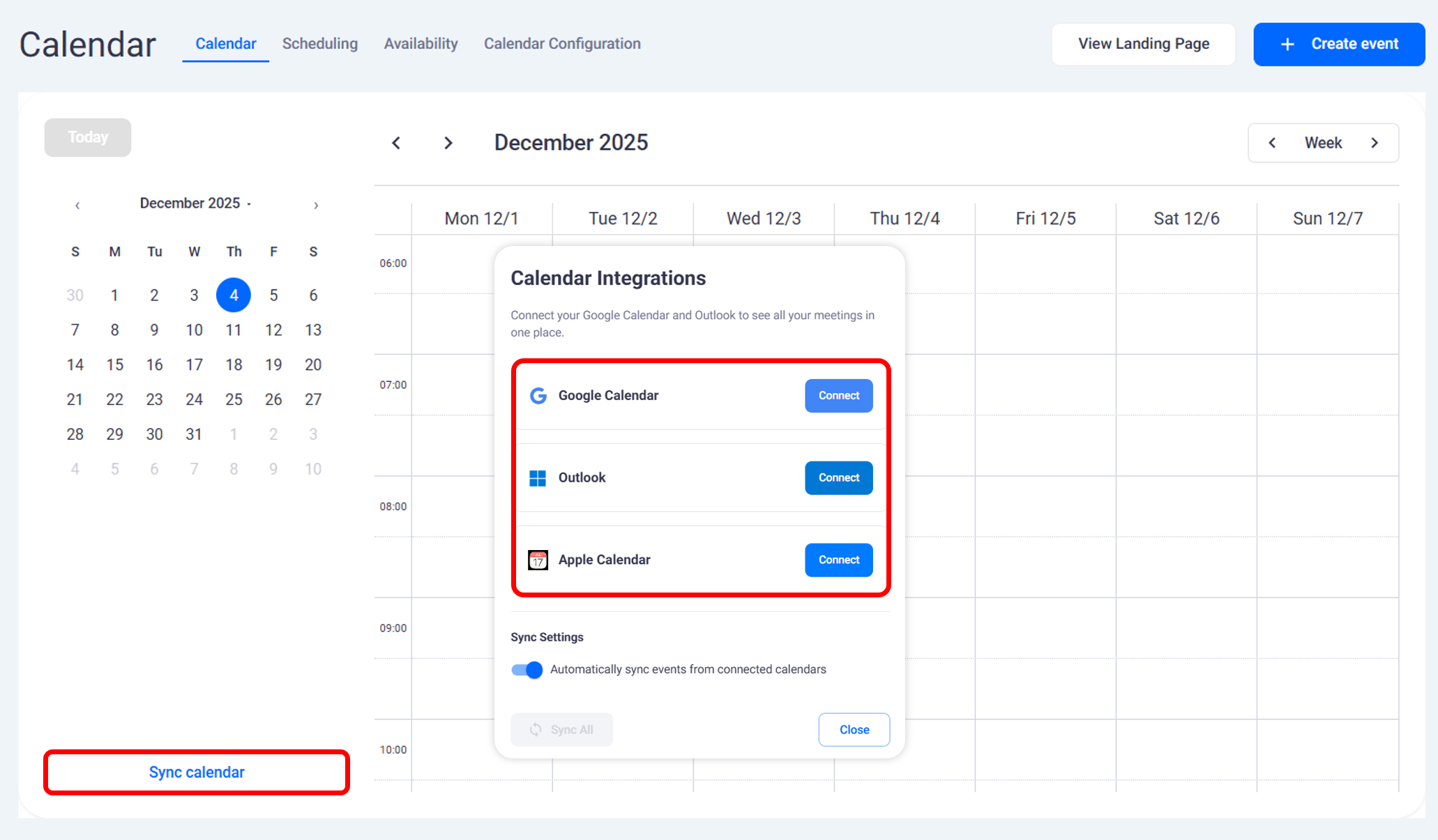
Calendar Sync and Availability
You can sync your calendar to Google, Outlook, or Apple. All eventscreated will appear in your synced calendar automatically.
Set availability inside FE Capital so meetings only appear during thetimes you are open. If you mark weekends as unavailable the systemwill block those times from booking.
Live Campaign Results
As your campaign runs you will see data update live.
Emails sent
Emails opened
Replies received
This lets you track performance in real time and make adjustments as needed.
Conclusion
With Intelligent Outreach you can automate investor campaigns, monitorresults, and schedule meetings in one workspace. Everything from emailtemplates to calendar syncing is built in so you can keep your outreachmoving smoothly.