
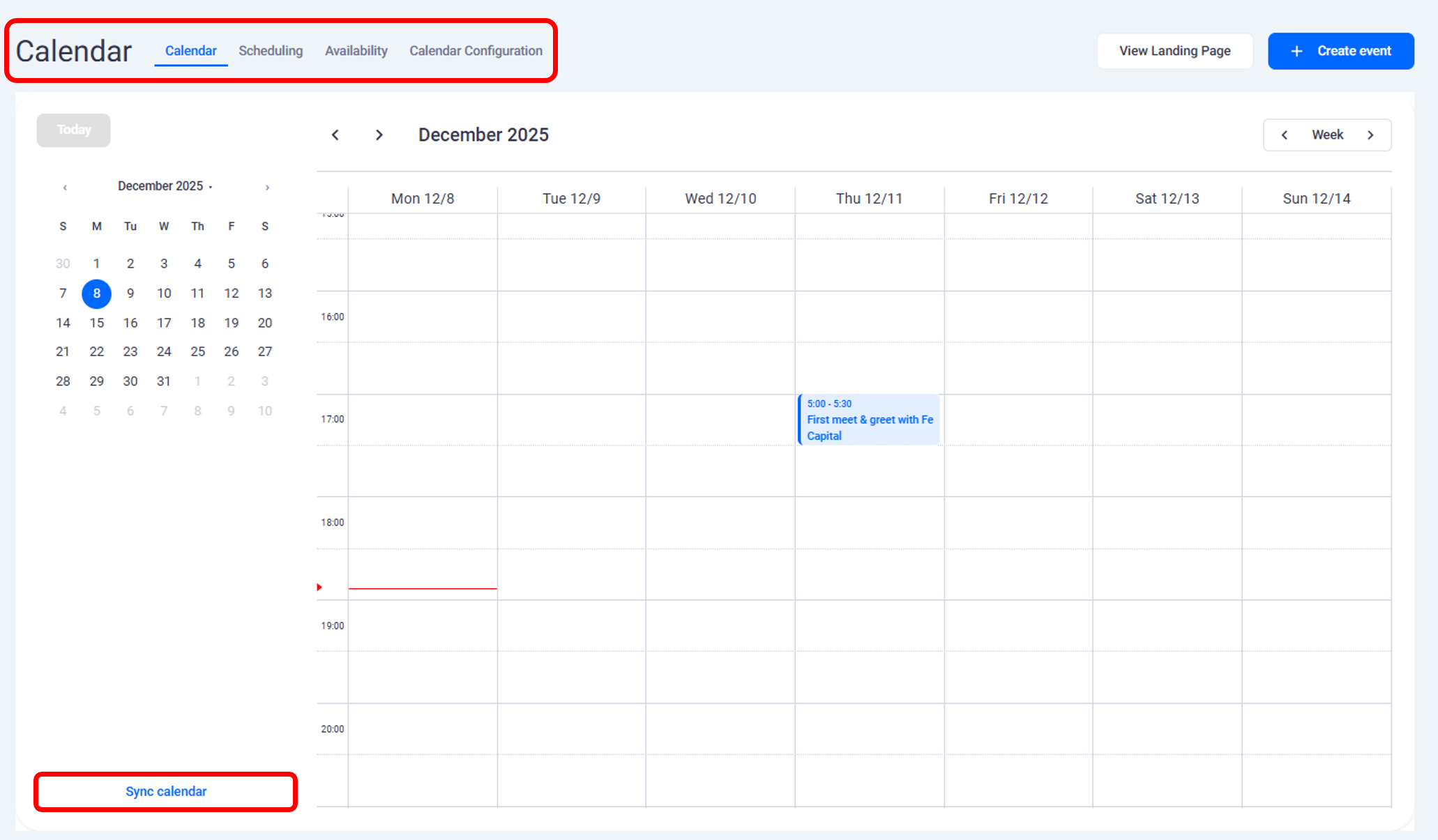
Syncing Calendars
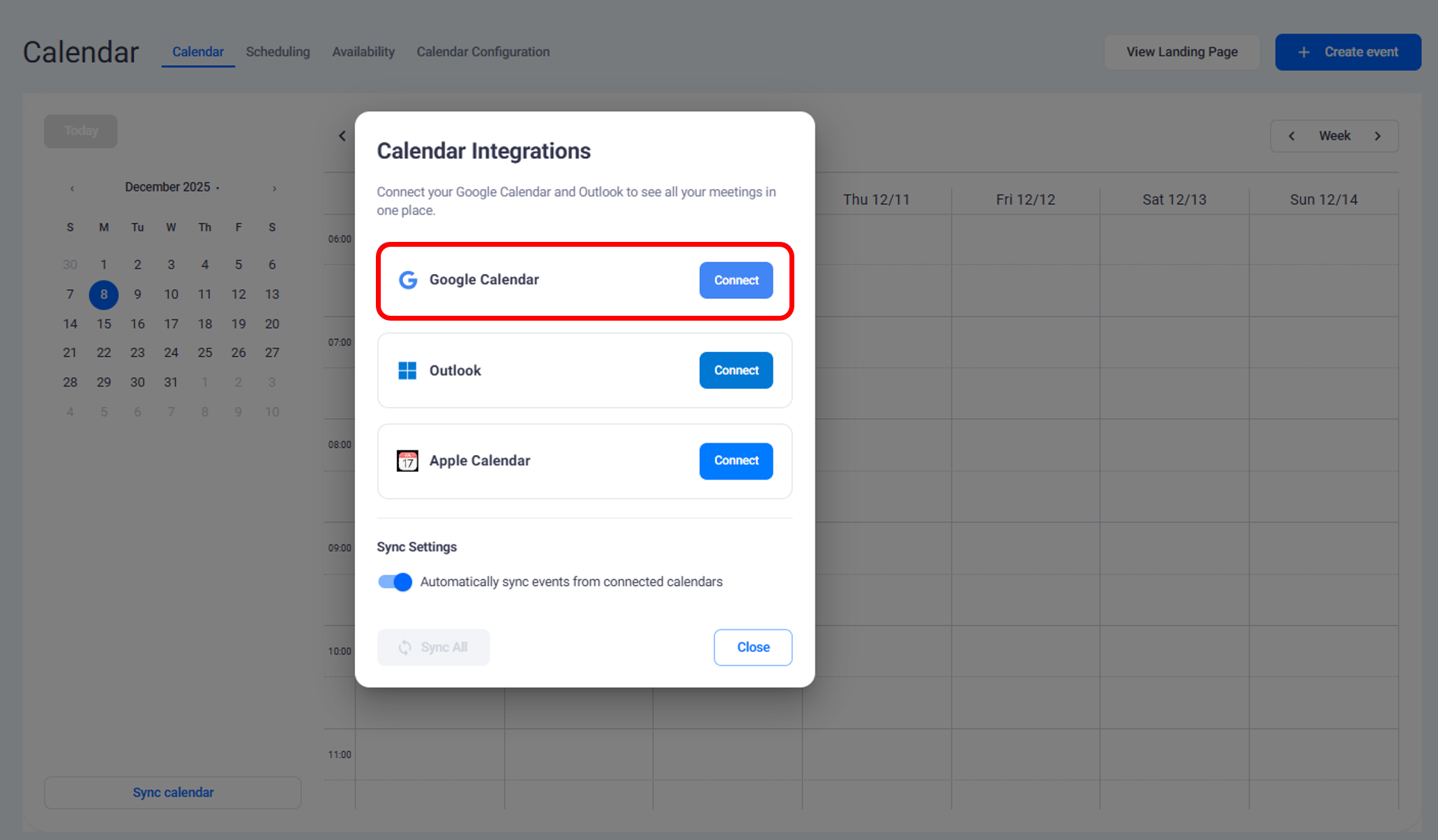
Connect your Google Calendar to synchronize events automatically
All meetings created in FE Capital are added to your Google Calendar and updated in real time
You can also connect Outlook or Apple calendars
Multiple calendars can be synced at the same time
Setting Availability
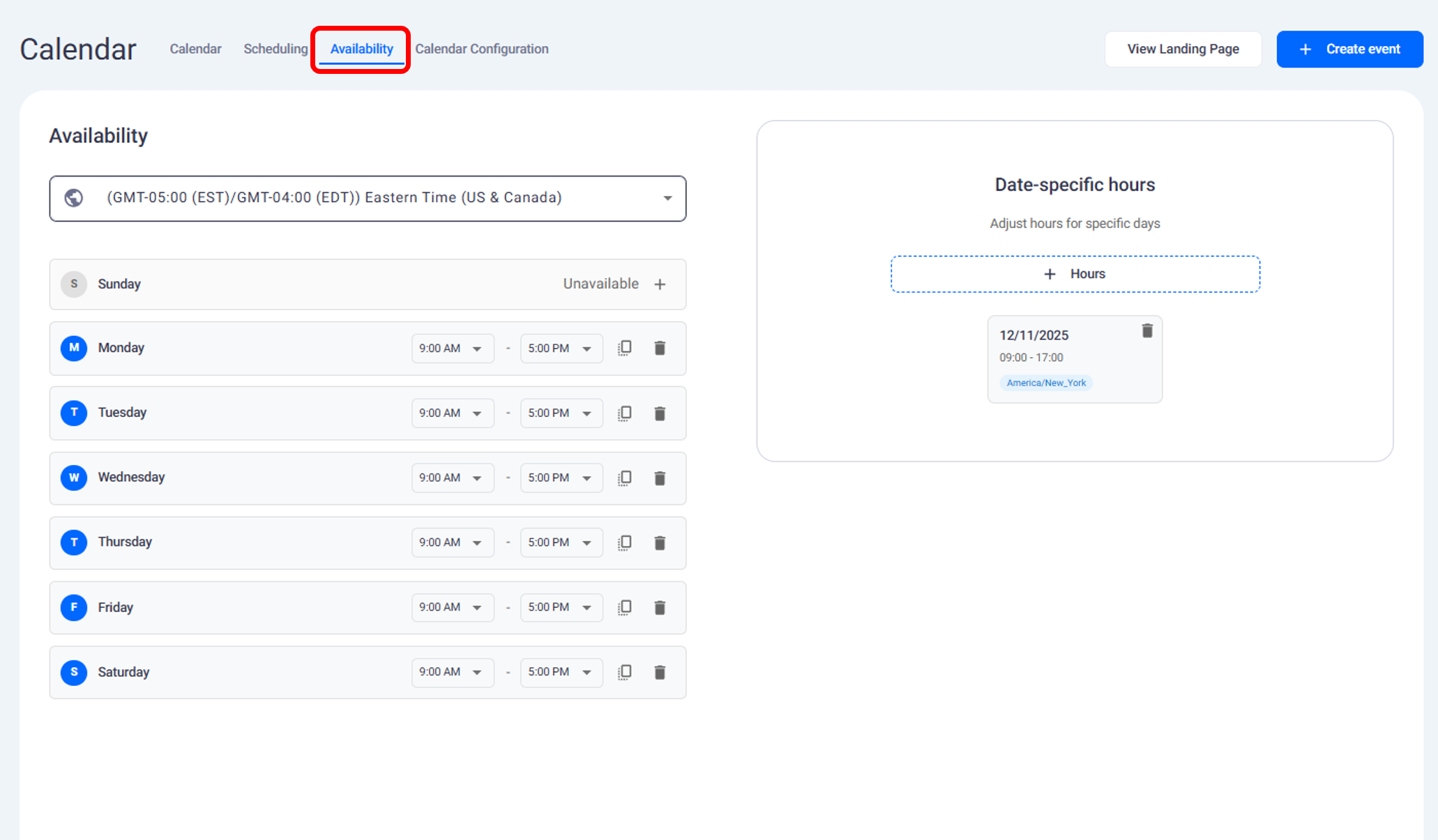
Define your availability directly in the calendar
Mark Sunday and Saturday as unavailable if you do not take meetings on weekends
Choose your available days and working hours
The system only displays available time slots for investors
Meetings cannot be booked outside of your set working hours
Calendar synchronization ensures that all scheduled investor meetings appear across your connected calendars. Setting availability helps manage time efficiently by allowing bookings only during approved working hours.
Need help?
Contact our support team and get the help you need.

.webp)