
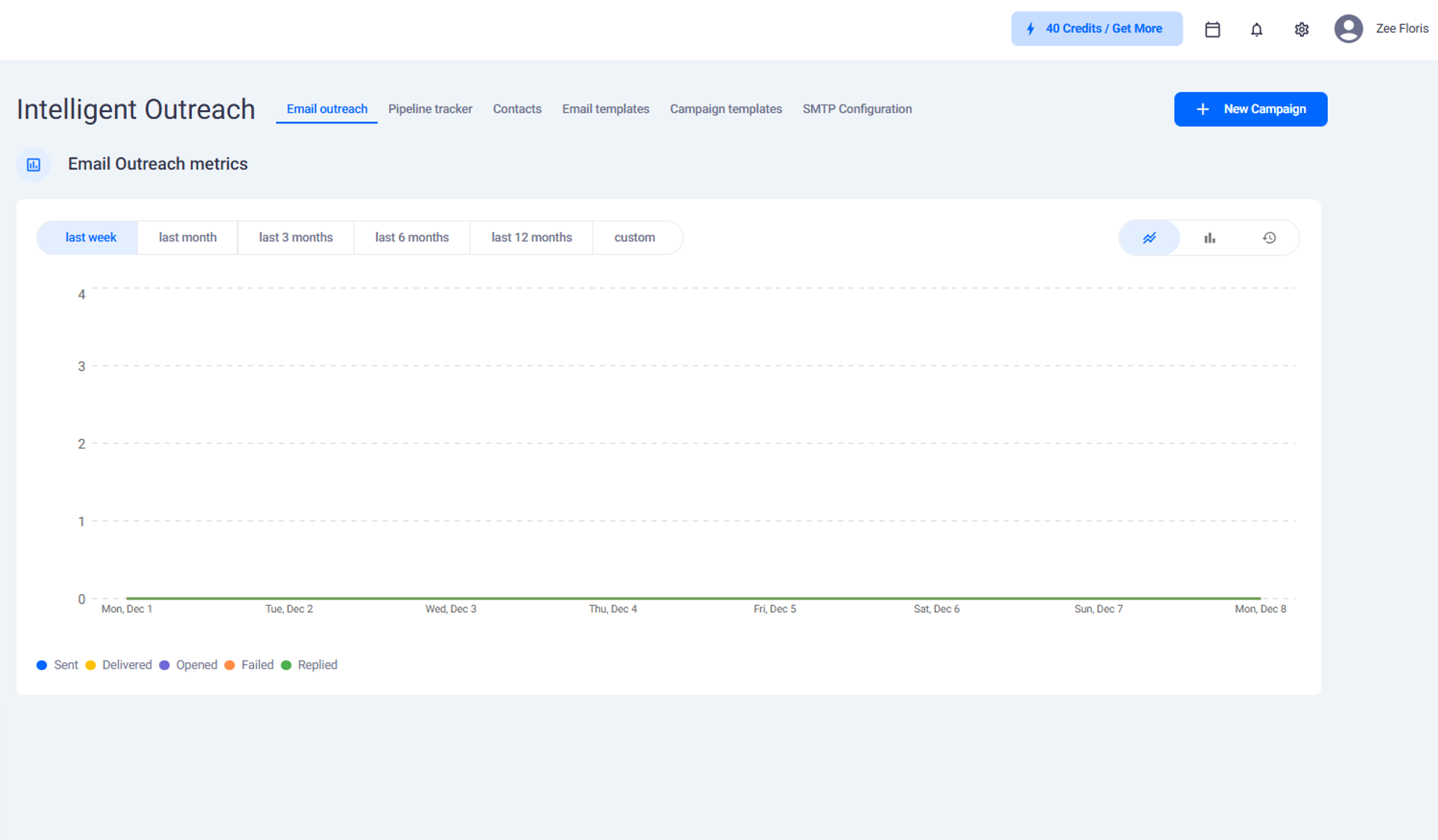
Starting a New Campaign
To begin a campaign:
Click New Campaign at the top right of the screen
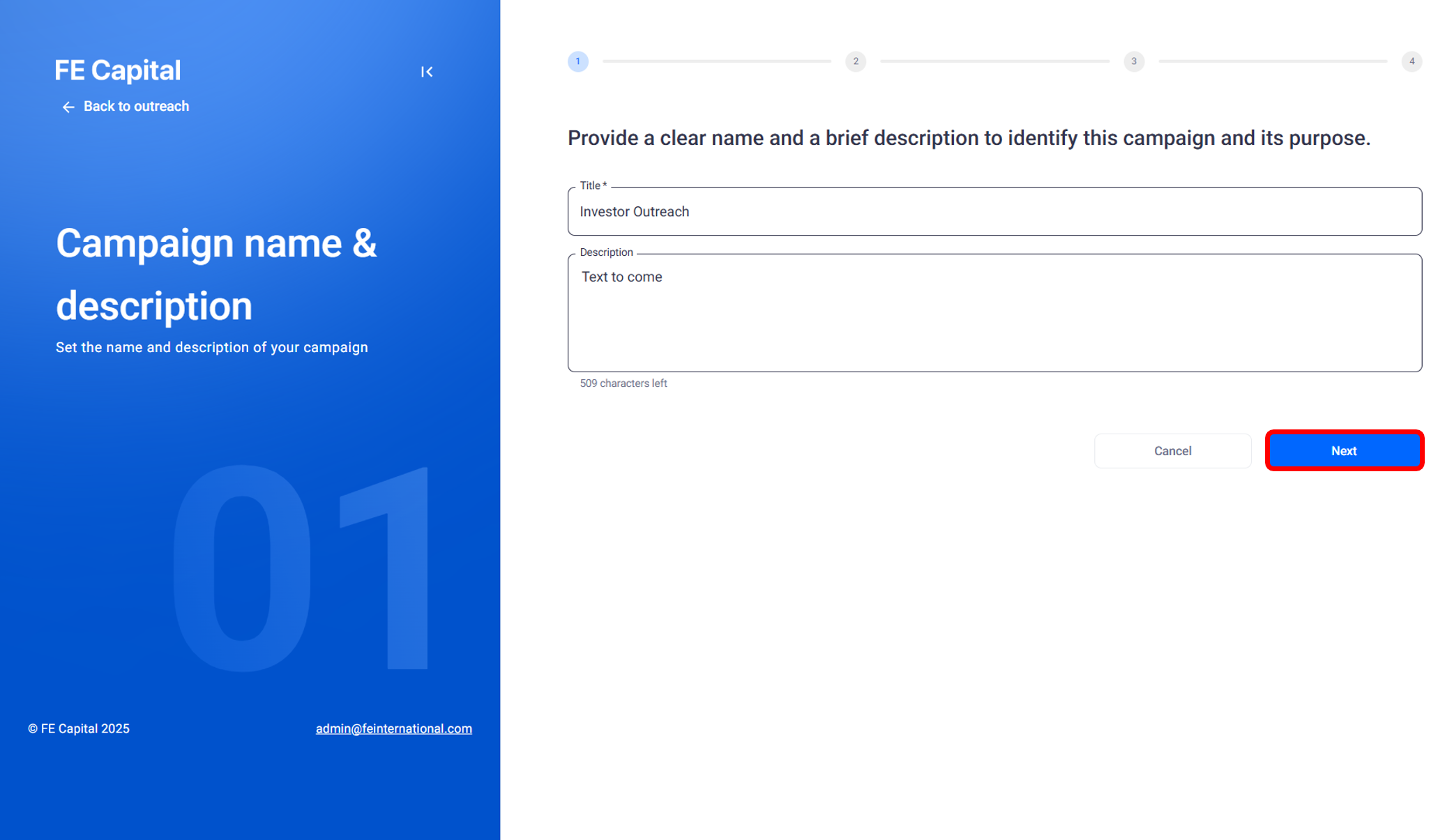
Enter a name for the campaign
Click Next to move to the contact import stage
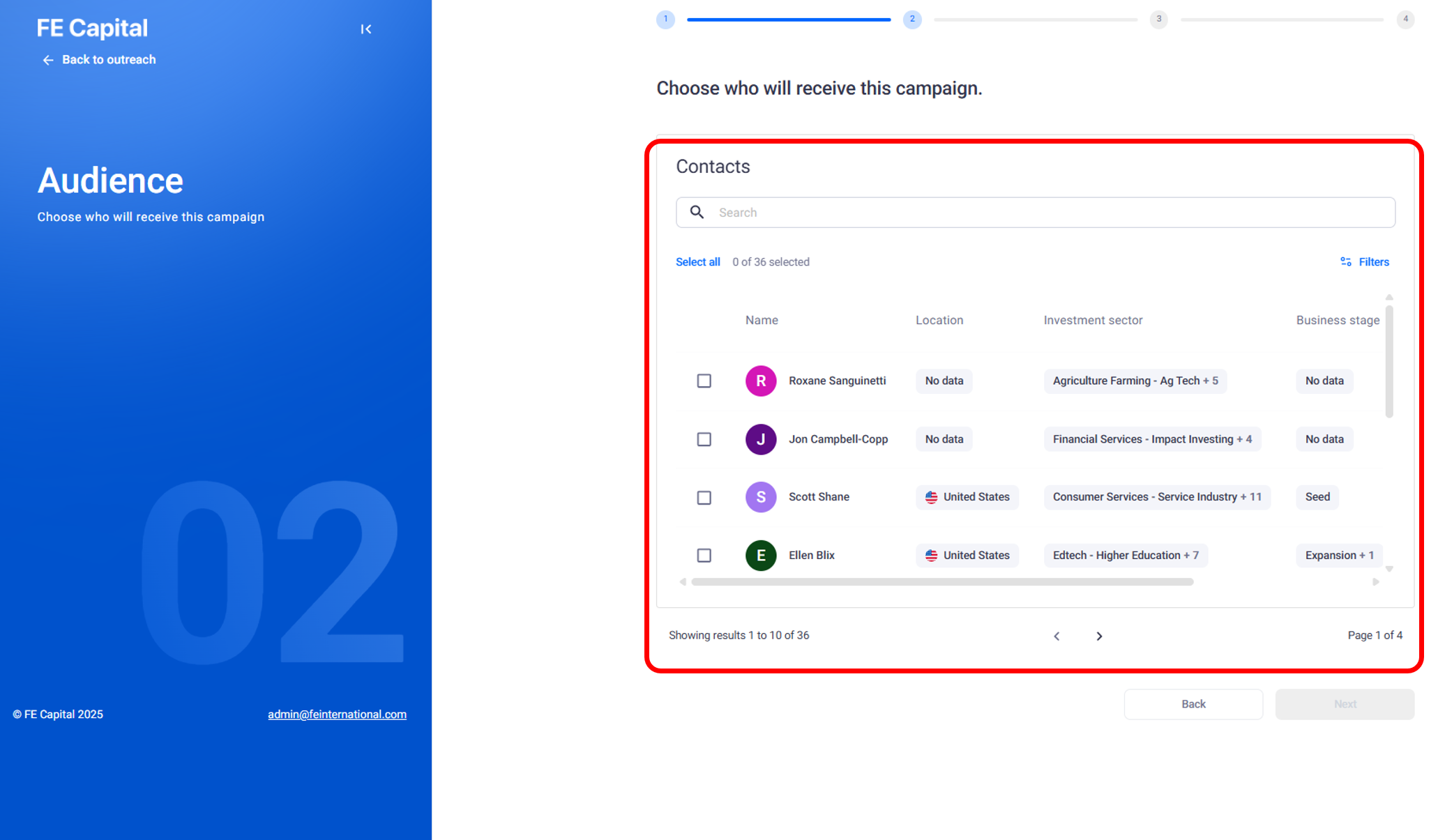
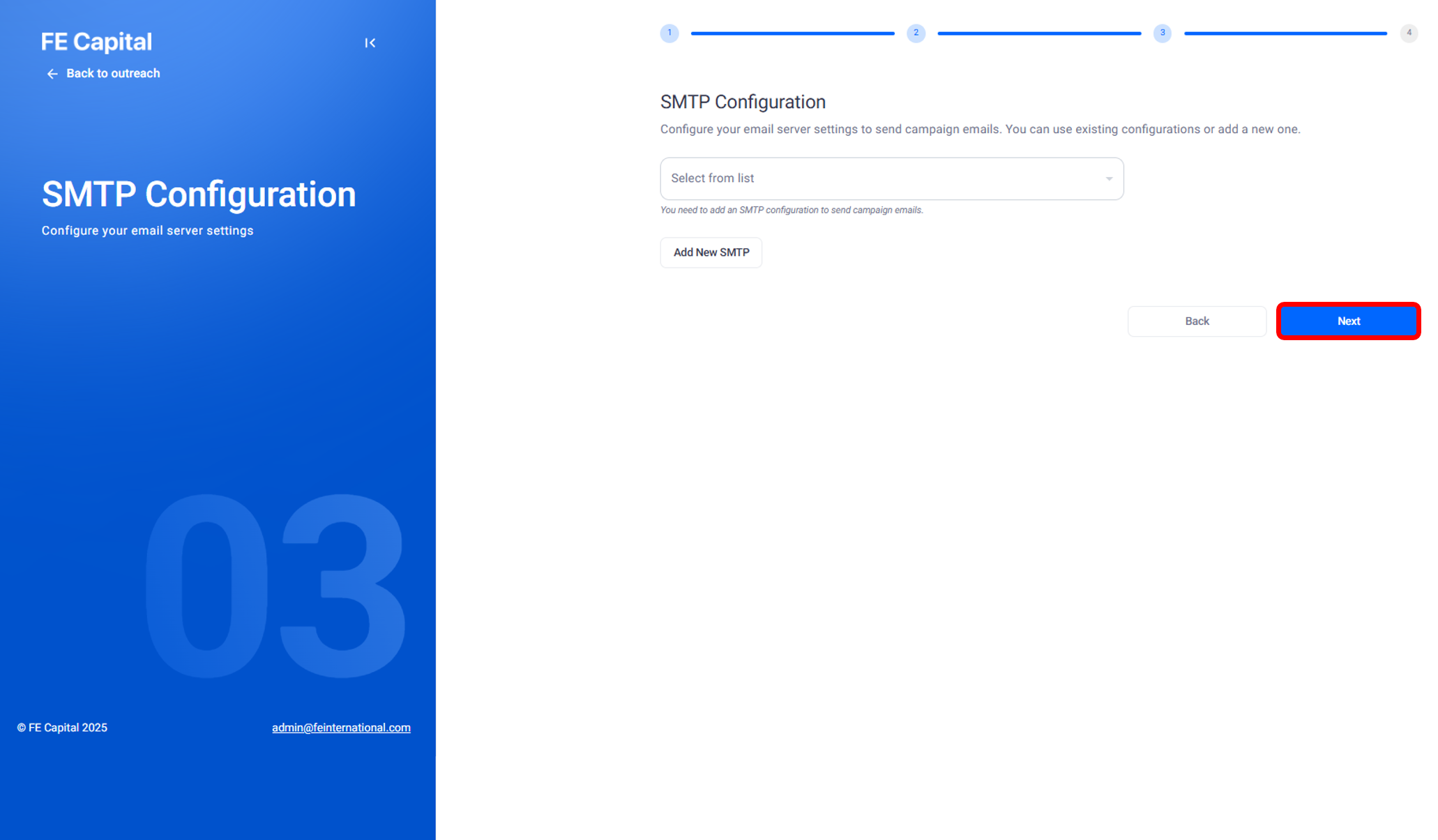
Adding Contacts and Selecting Settings
Import the contacts that you want to include in this campaign
Select the SMTP configuration that has been set up for your account
Choose a cold outreach sample campaign if you want to use the basic version with follow-ups
Optional Conditions
Additional conditions can be added to personalize the outreach flow. Examples include:
If an email is opened, send a meeting link or Google link
If an email is not opened, send a different follow-up
Completing the Setup
After reviewing the settings, click Finish
Then select Publish to activate the campaig
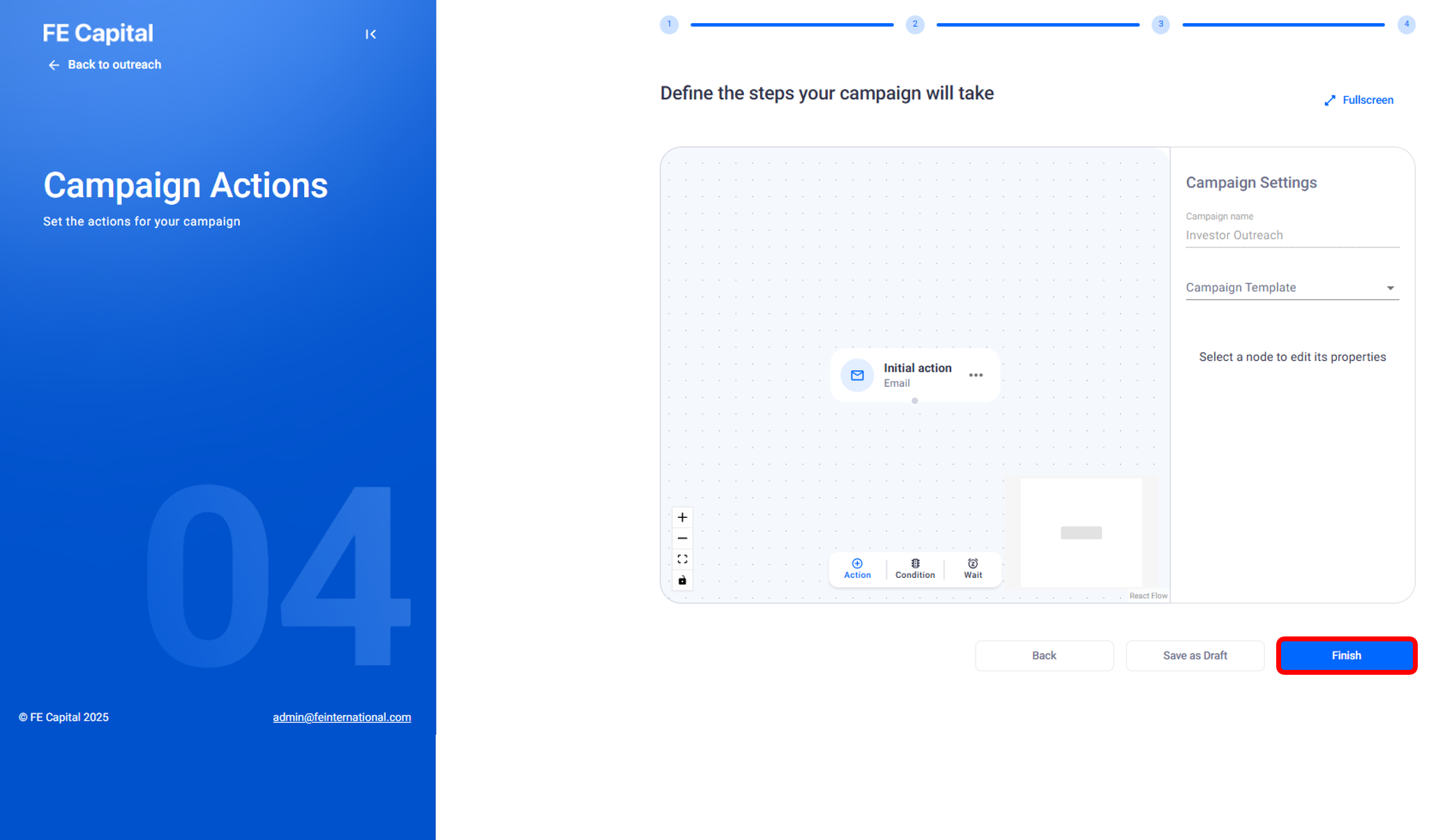
Creating a campaign inside Intelligent Outreach lets you organize investor contacts, apply email settings,and set basic follow-ups before launching your automated outreach flow.
Need help?
Contact our support team and get the help you need.

.webp)