
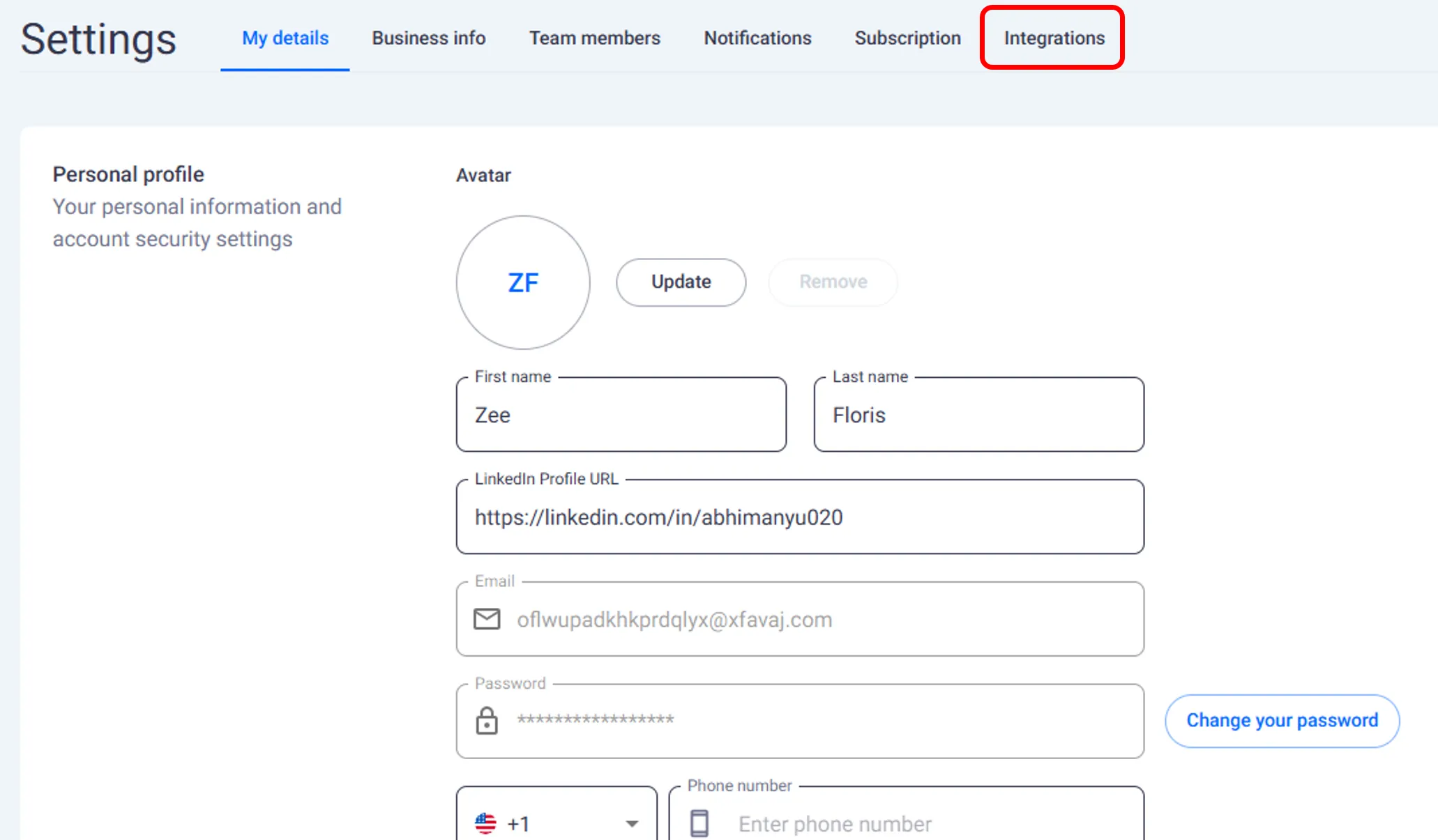
Accessing Integrations
Click Settings from the main navigation bar.
Select Integrations from the menu.
The screen shows all available connected platforms.
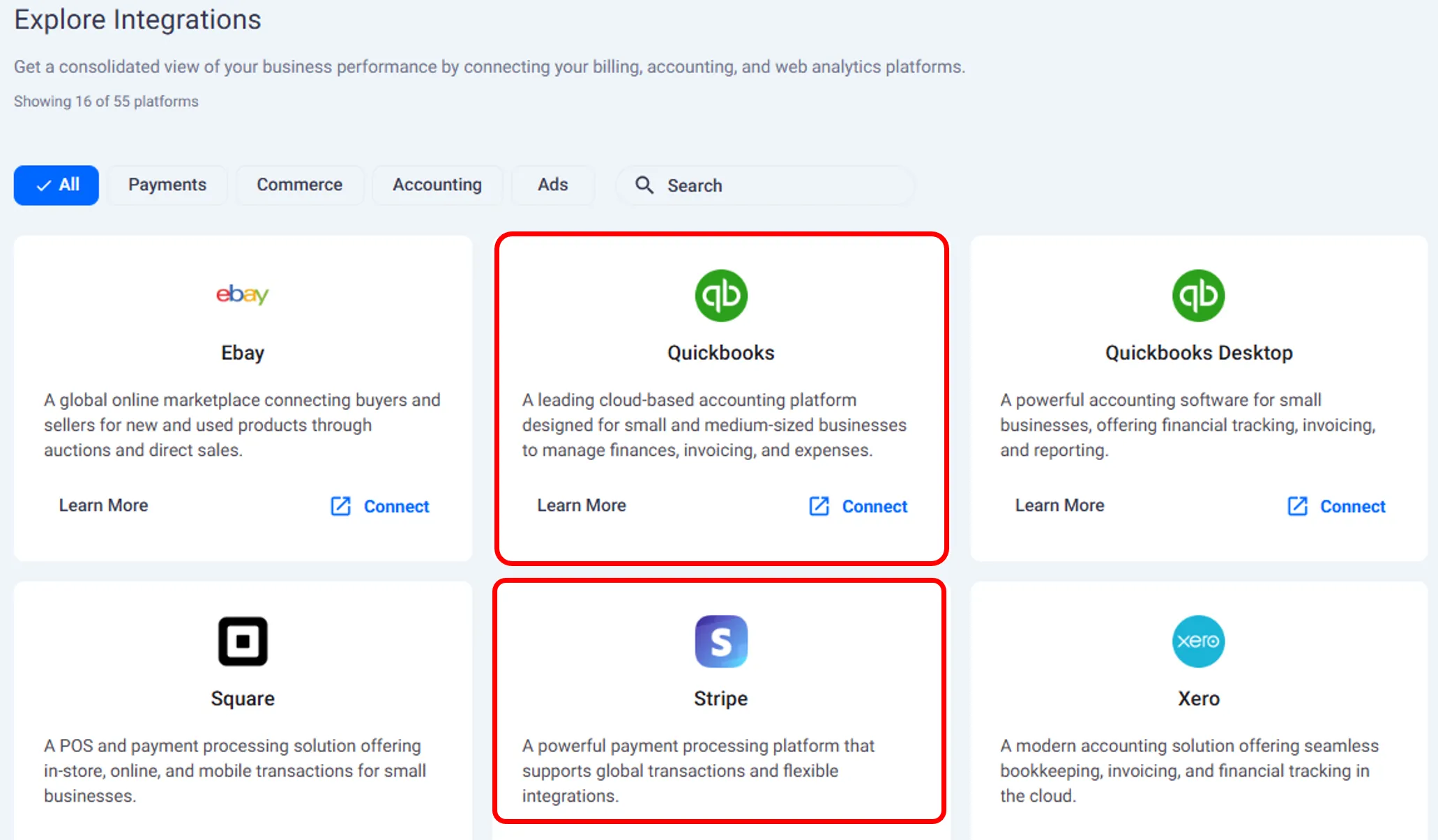
Connecting a Platform
From the Integrations screen, click Connect.
Choose the platform you want to link.
Once connected, your data automatically starts syncing into FE Capital.
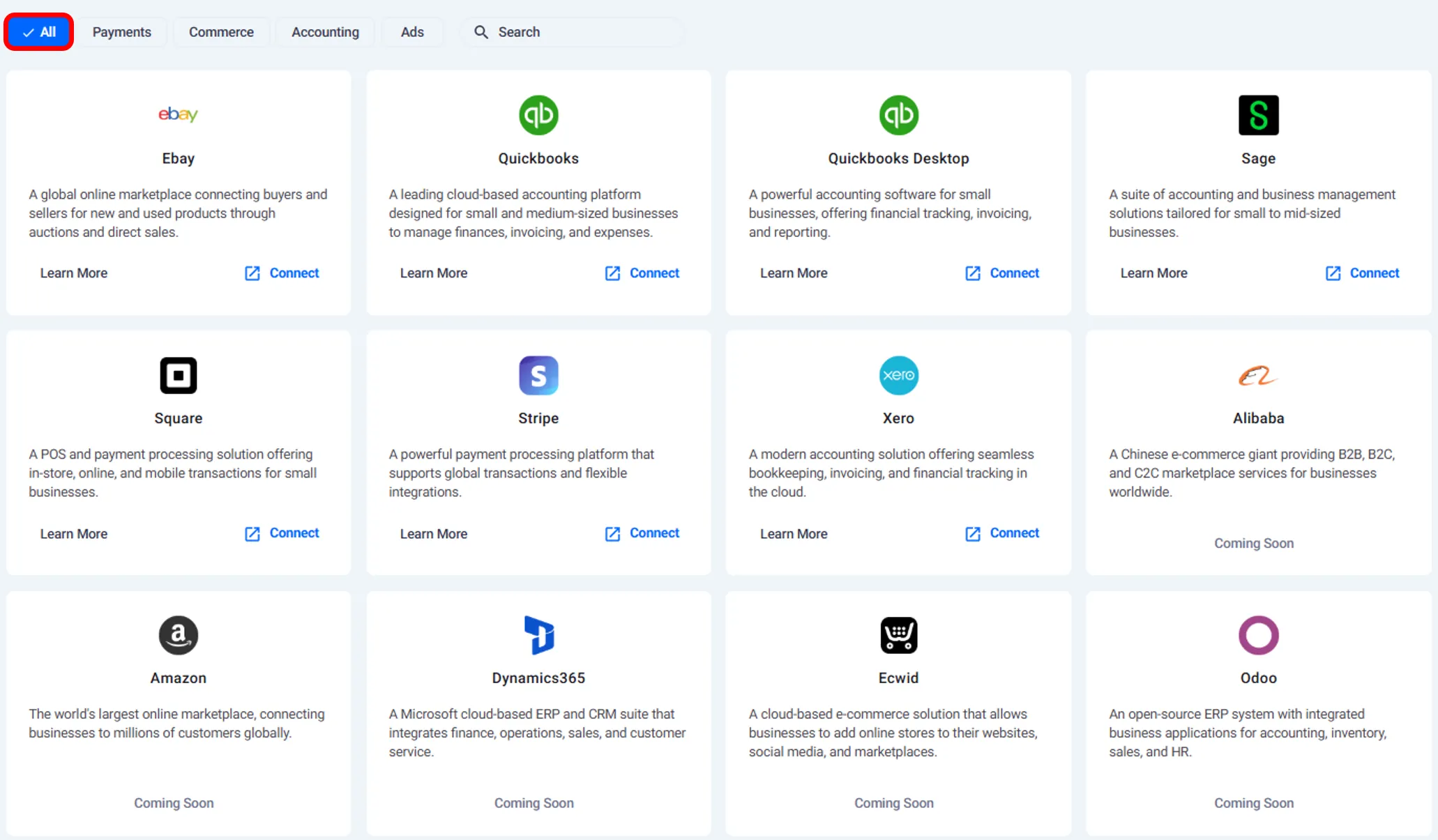
Platforms can be connected at any time from the Settings section. Integrating after onboarding ensures that your financial data continues to sync automatically without manual updates.
Need help?
Contact our support team and get the help you need.

.webp)