
Connecting Through Rutter
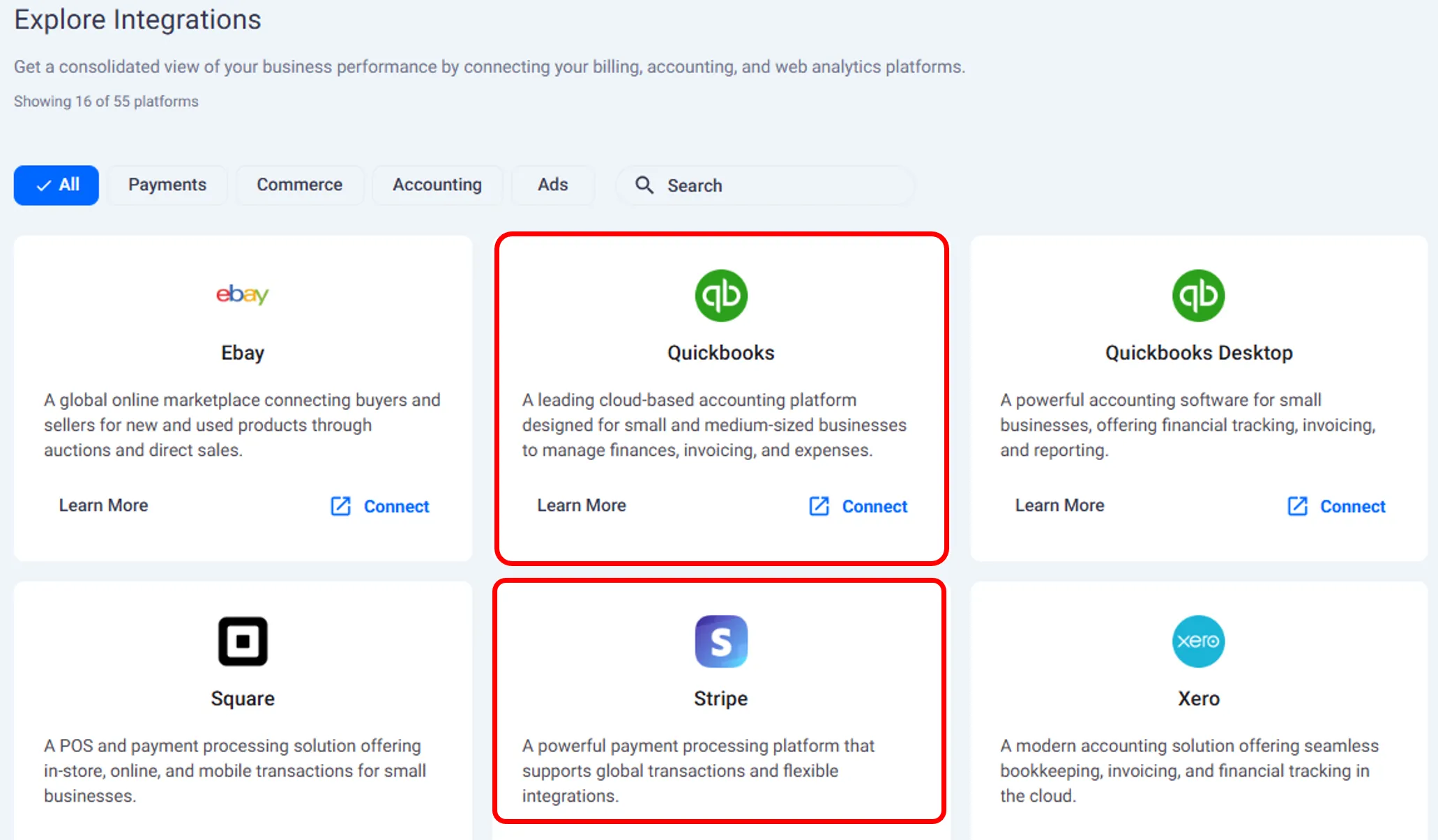
Click Connect beside the platform you want to link.
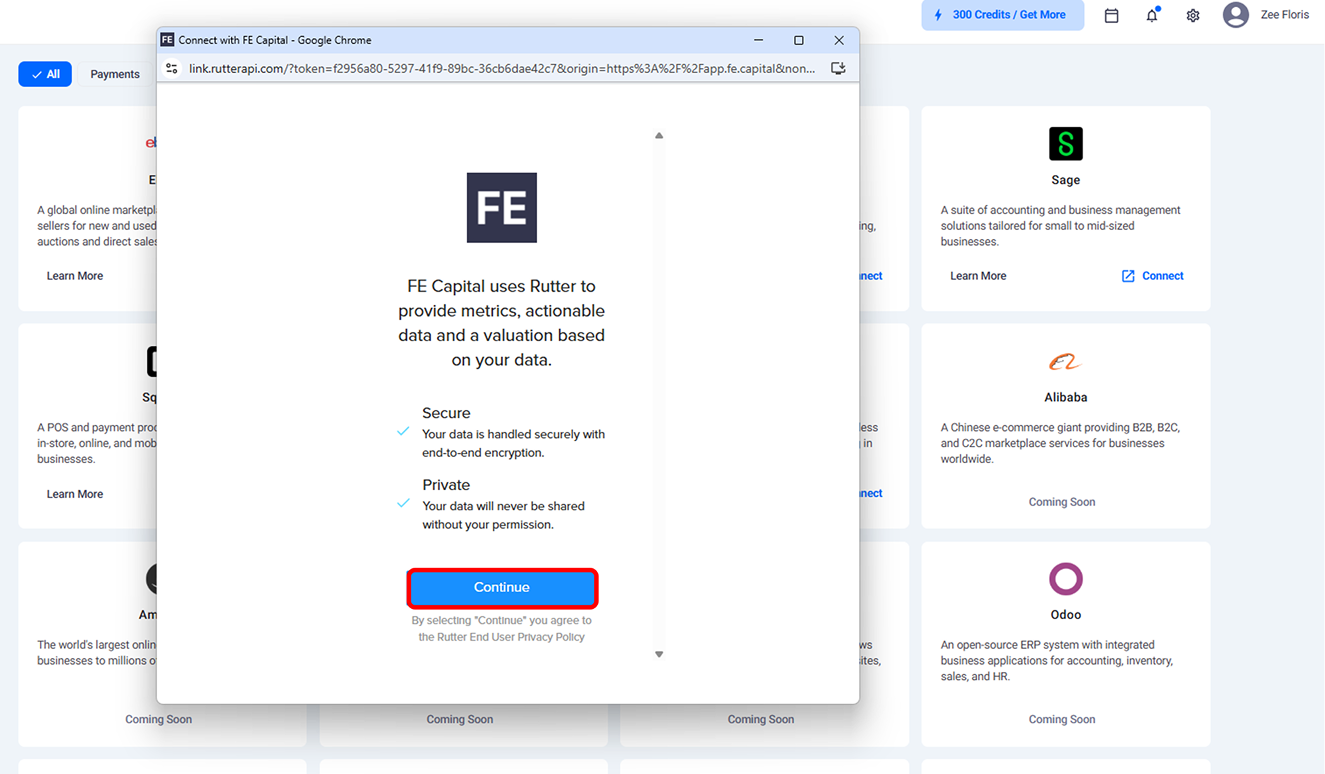
The Rutter window will appear.
Select Continue to proceed.
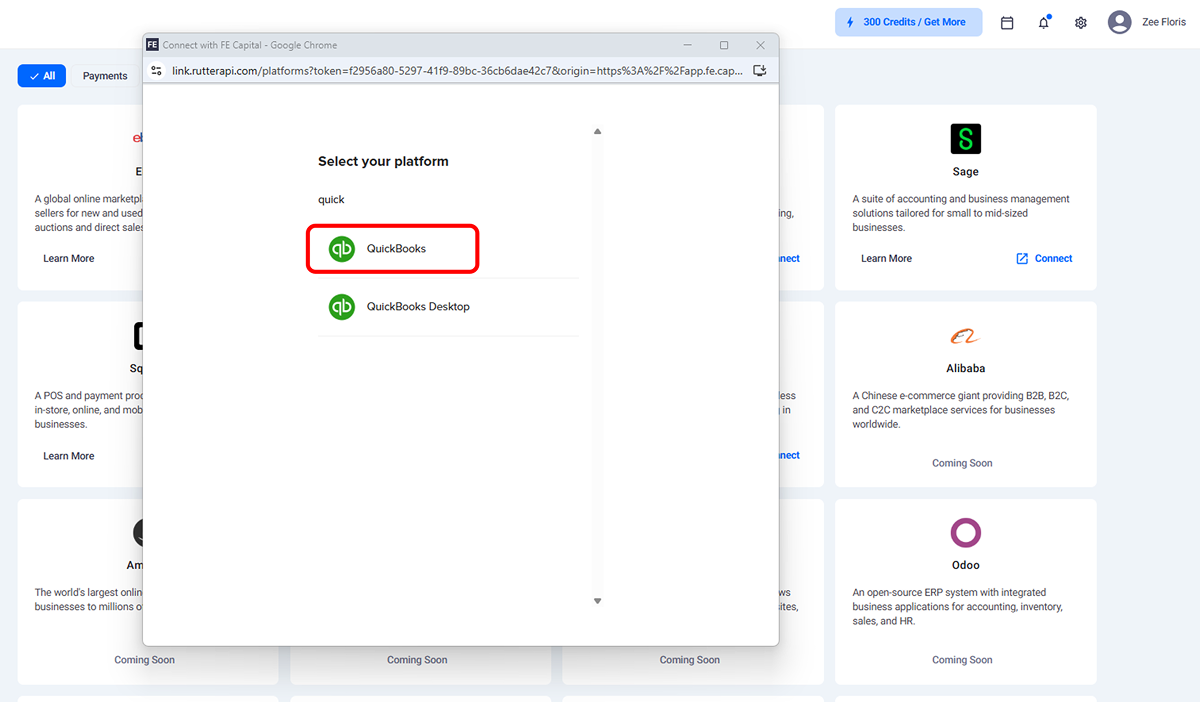
Choose the platform, for example QuickBooks.
Log in with your account credentials.
Click Save to complete the connection.
Data Sync
Once connected, Rutter begins importing your financial data automatically. FE Capital keeps this data updated in realtime, eliminating the need for manual entry.
Rutter provides a secure, automated way to transfer financial data into FE Capital. Connecting through Rutter ensures that your metrics stay current and accurate across platforms.
Need help?
Contact our support team and get the help you need.

.webp)